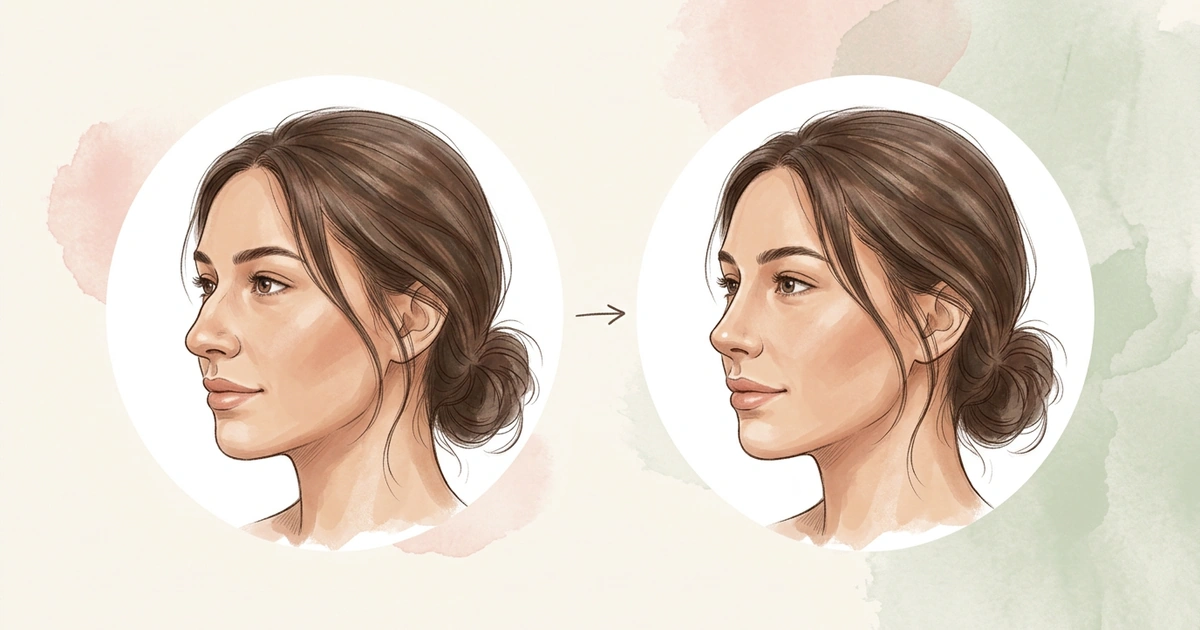
Best Nose Job Simulator Apps in 2026
You’re looking for the best nose job simulator app, but most of them look the same in the App Store. This guide shows how four popular apps differ, so you can pick the right one.
Written by Mia Hartley7 min readUpdated

We compared four apps on three simple things: how the nose is edited, what it costs and what happens to your photo.
Updated October 22, 2026. All prices and features come from each app’s App Store or Google Play page on that date. Prices change often, so check the store page before you pay.
The best nose job simulator app depends on what you want. FaceTouchUp lets you pay per photo, Pody also shows filler and other procedures, and YouCam Makeup lets you edit with sliders. NoseChic is made only for nose job simulations: you try common nose shapes on your photo in seconds, and its Nose Report suggests the styles that suit your face.
What Makes One Nose Job App Different From Another
All four apps show a new nose on your photo. They differ in three ways.
How your nose gets edited. Some apps give you sliders, so you change the bridge, tip and nostrils yourself. That gives you control, but it’s easy to go too far. Other apps use AI: you pick a nose style and the app makes the change for you, so the result looks more natural.
How you pay. Two of these apps charge by the week, from $4.99 to $9.99, and both also sell yearly plans. FaceTouchUp sells photo credits instead of a subscription.
What happens to your photo. You’re uploading a photo of your face. Check the privacy section on the App Store page, and look for an app that deletes your photo once it’s done.
Nose Job Simulator App Pricing in 2026
All four apps are free to download on iPhone and Android. What you get for free is different for each.
| App | Free tier | Paid plans |
|---|---|---|
| FaceTouchUp | Free download, photo credits sold in the app | 3 photo credits for $3.99, 15 for $9.99, 50 for $29.99 |
| Pody | One free simulation | Weekly $4.99 to $9.99, monthly $19.99, yearly $39.99 to $49.99 |
| NoseChic | Limited free uses | Weekly $4.99, yearly $34.99 |
| YouCam Makeup | Free app, Premium adds more tools | Monthly $5.99 to $9.99, yearly $31.99 to $39.99 |
Prices come from each app’s US App Store page on October 22, 2026. When an app lists more than one price for the same plan, the table shows the lowest and highest.
FaceTouchUp: The Pay-per-Photo Pick
FaceTouchUp has been on the App Store since 2015. You change the nose yourself with editing tools, and the app also covers chin, liposuction and breast surgery. Some surgeons use a version of it in their clinics, and its website can help you find one near you. There’s no subscription: you buy photo credits, from 3 for $3.99 up to 50 for $29.99.
Choose it if: you only want to edit one or two photos, or you want to find a surgeon who uses the same tool.
Pody: The Filler and Procedures Pick
Pody shows many cosmetic procedures, not just the nose. You can try lip filler, Botox, cheek filler, eye bag removal and body procedures like a tummy tuck. For the nose, there are three options: a nose job, nose filler and a nose tip lift. You upload a photo, choose one option and see the result next to your original. Your first try is free, and plans start at $4.99 a week.
Choose it if: you want to compare nose filler with surgery, or try procedures beyond your nose.
NoseChic: The Nose Specialist Pick
NoseChic is made only for nose job simulations. You choose from 8 common nose shapes, such as a straighter bridge or a softly rounded tip, add a photo, and see the new nose on a realistic photo of you in seconds. You can switch between before and after, then try another shape on the same photo.
If you’re not sure where to start, the Nose Report checks your photo in seconds. It gives a score for how your nose fits your face, rates features like your bridge and tip, and lists the nose styles that suit you, with a reason for each. It’s free to try, then $4.99 a week or $34.99 a year.
Choose it if: you want to try different nose styles on your photo, don’t know where to start, and don’t want to learn any editing.
Types of Nose Shapes: 10 Common Shapes Explained
YouCam Makeup: The Manual Slider Pick
YouCam Makeup is a popular beauty app. Its nose tool is in the Reshape menu and has sliders for size, bridge height, nostril width, tip and the sides of the nose. You see each change as you move the slider. There’s also a free web version, YouCam Online Editor, which uses a front-facing photo. Most of the app is for makeup, hair and video, and Premium costs $5.99 to $9.99 a month.
Choose it if: you want to adjust one detail yourself, or try a change in your browser without installing an app.
Which Nose Job Simulator App Is Right for You?
Find the row that sounds like you.
| If you… | Best pick | Why |
|---|---|---|
| Don’t know which nose would suit you | NoseChic | The Nose Report lists the styles that suit your face |
| Want to try many nose shapes without editing | NoseChic | 8 common nose shapes on your photo in seconds |
| Want to change your bridge or tip | NoseChic | Styles for a straighter bridge, a rounded tip and more |
| Don’t want a subscription | FaceTouchUp | You buy photo credits, from 3 for $3.99 |
| Are deciding between filler and surgery | Pody | It shows a nose job, nose filler and a tip lift |
| Want to change one detail yourself | YouCam Makeup | Sliders for bridge height, nostril width and tip |
Where NoseChic Fits
If you still aren’t sure which nose you want, NoseChic is a good place to start. Run the Nose Report on a clear side photo. It shows which part of your nose stands out, usually the bridge or the tip, and which styles to try first.
Try two or three of those styles on the same photo and compare each one with your original. Keep the one you like most. It’s an easy way to show a surgeon the change you have in mind.
Frequently Asked Questions
What is the best nose job simulator app?
It depends on what you want. NoseChic is made only for nose job simulations and suggests the styles that suit your face. FaceTouchUp lets you pay per photo, Pody also covers nose filler, and YouCam Makeup lets you edit by hand with sliders.
How much do nose job simulator apps cost?
Most are free to download, and paid plans start at $4.99 a week. FaceTouchUp is the exception: it sells photo credits instead of a subscription, starting at 3 for $3.99. Prices were checked on October 22, 2026, and change often.
What’s the difference between a nose filter and a nose job simulator?
A nose filter changes your nose with sliders or a live camera effect, so you do the editing yourself. A nose job simulator uses AI to make a new photo of you with a different nose style, like a straighter bridge or a smaller tip. Beauty apps often include a free nose filter, while simulators like NoseChic focus only on noses.
Is there a nose job simulator app for Android?
Yes. NoseChic, FaceTouchUp, Pody and YouCam Makeup are all on Google Play as well as the App Store. Ratings can be different in each store, so check the reviews in the store you’ll download from.
See your new nose in seconds
Download NoseChic, try nose job simulation on your own photo, and find the nose that feels right.